Choose your cleaning mode
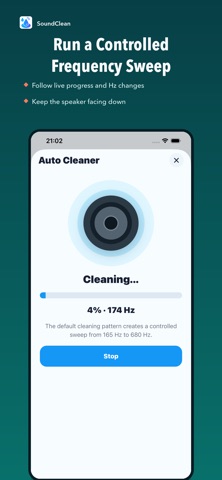
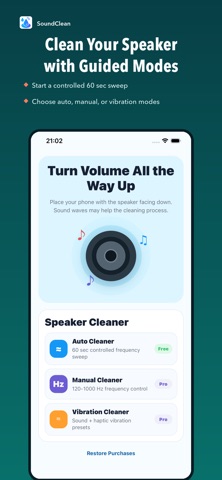
Use Auto Cleaner for a guided low-frequency sweep, or choose Manual Cleaner.
 SoundCleanAll products
Guided cleaning tones, adjustable frequencies, and quick sound checks in one iPhone app.
Choose a guided frequency sweep or adjust tones yourself. Check speaker output with low, mid, high, and volume ramp tests.

SoundClean brings guided tones, manual frequency controls, and audio checks into a simple toolkit.
Use Auto Cleaner for a guided low-frequency sweep, or choose Manual Cleaner.
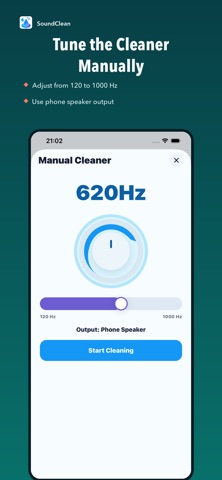
Adjust manual tones from 120 Hz to 1000 Hz to run a controlled session.
Use Sound Test to check low, mid, high, and volume ramp output.
Four modes for guided tones, frequency control, haptic-assisted sessions, and speaker checks.
Run a guided low-frequency sweep with a simple session flow.
Tune speaker tones from 120 Hz to 1000 Hz.
Try haptic-assisted sessions with vibration controls.
Check low, mid, and high tones plus a volume ramp.
Use a controlled sound session and listen to the output. Cleaning results depend on the device and its condition.
Start with Auto Cleaner when you want a guided frequency sweep.
Choose a frequency yourself with Manual Cleaner.
Compare low, mid, and high output using Sound Test.
Tap a screenshot to preview the App Store visuals used for the live SoundClean listing.